The shape of an enterprise’s technology emerges from how its parts fit together.
By Ed Bednar
Early in my time as chief architect at a large global organization, I was asked to approve the renewal of an expensive enterprise architecture modeling tool that was used by only three people.
I was genuinely curious about what the tool could do and how it was being used. What I found, though, was classic ivory tower thinking: isolated work with no relevance beyond a few architects focused on conceptual models.
The models were sophisticated, even impressive in some ways, but they existed in a vacuum. They did not provide any connection to or shared understanding of what was important to the organization or its systems.
This was a structural problem, not a tooling or licensing matter.
Why Enterprise Architecture Models Often Fail to Gain Traction
These models were not in a form others could see, question, or use, which is to say, they couldn’t be consumed. They were also overly complex, unintuitive unless you were already deeply familiar with their form.
This is what isolated modeling looks like in practice. And that realization led me to something more fundamental:
Large organizations need a baseline architecture blueprint that everyone can work with using widely available tools.
The Problem with Isolated Enterprise Architecture Modeling
Consider building design. It begins with a blueprint, a baseline representation of the structure. From there, additional views are layered onto the baseline, each specifying different aspects of the structure, such as electrical and mechanical systems.
During construction, everyone works from the same integrated blueprint, not just a few people, and, often, with paper copies. This is the model that architecture blueprints in digital systems must follow, although the paper part would, of course, be a matter of preference and practicality.
For that model to work in digital systems, a few criteria must be met. The approach must be comprehensive, accessible to everyone, and maintainable over time.
These criteria also point to something more fundamental about what an architecture blueprint must be.
How to Build an Enterprise Architecture Blueprint
An architecture blueprint is formed by identifying assets and structuring them hierarchically, where containment at each level reveals dependencies. We covered this idea in the article Why Enterprise Architecture Requires a Baseline Blueprint.
This is fundamentally a structural view, particularly at the outset of blueprint formation. It also serves as a foundation that connects to other design methods, many of which rely on specific diagramming techniques.
The Structural Foundation: Assets and Hierarchy
Recall that technology assets form the foundation, including hardware-, software-, and service-based components.
These base assets are further organized into infrastructure, security, application, and data assets, which in turn compose system assets that represent complete workloads.
This structure was covered in Enterprise Architecture Begins Where Responsibility Is Defined. It reflects both composition and dependency within the architecture.
Using these building blocks, we can begin constructing architecture blueprints within this structure.
Constructing the Architecture Blueprint Step by Step
Establishing Asset Mnemonics
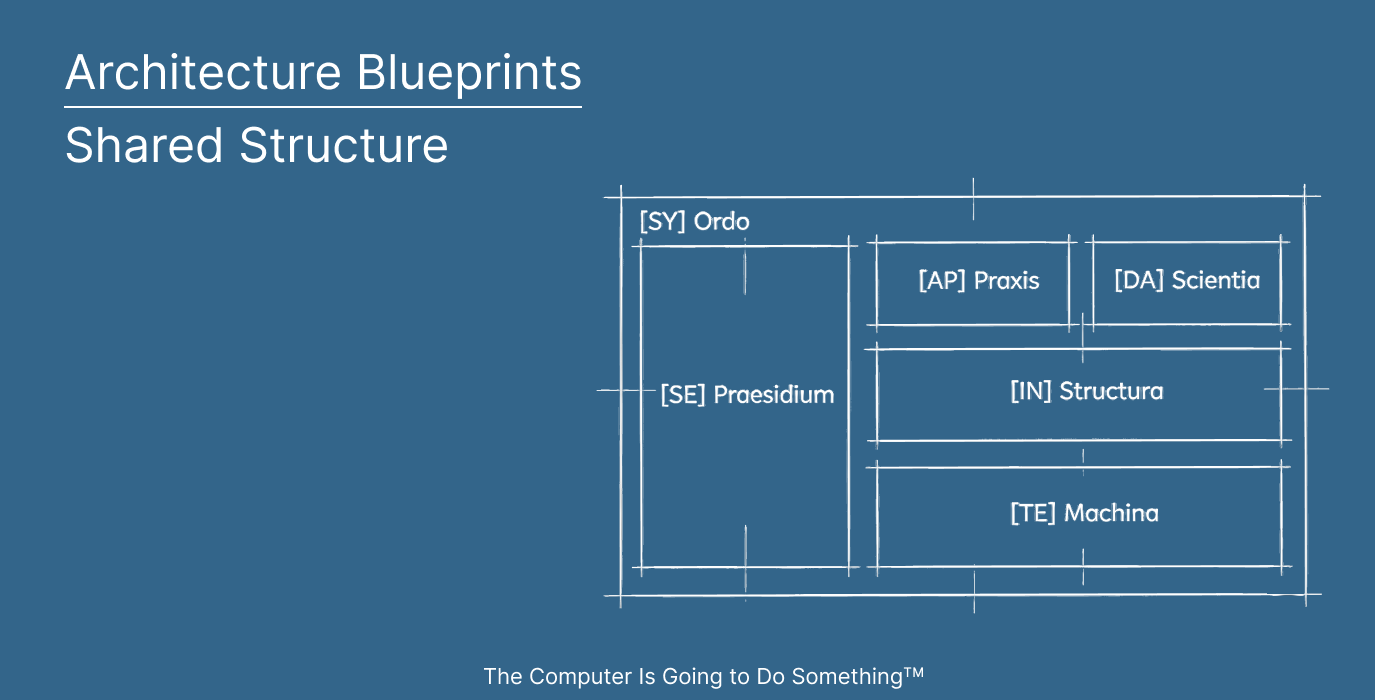
When labeling assets in architecture blueprints, I prefer including mnemonics as a concise way to show classification, which is especially helpful as a blueprint becomes more detailed.
For illustration, here is a simple model:
Architecture Assets
SY: System
AP: Application
DA: Data
SE: Security
IN: Infrastructure
Technology Assets
TE-SW: Software
TE-FW: Firmware
TE-HW: Hardware
TE-SV: Technology Service
(These are just examples. There are many ways to do it. Also, any architecture asset could potentially be a service, if software defined, which may be useful to label specifically.)
With this notation established, we can begin constructing the initial layer of the blueprint.
The Initial Layer of the Architecture Blueprint
Rather than describing behavior or flow, the initial architectural blueprint only shows what exists and how it is structured.
For illustration, we’ll use a simple, hypothetical workload, depicted in Figure 1, which consists of a basic multi-tier web application and a backend database.

At the outermost level, the system spans multiple architectural domains. On the left, a client device hosts a browser in which the application executes, representing the user-facing edge. Adjacent to it, a security gateway introduces a control point, with a web application firewall filtering access before requests reach the backend of the application.
At the center, a virtualized environment is layered from physical hardware through firmware and hypervisor to a virtual machine, guest operating system, and ultimately the application. Each layer is contained within the one below it, forming a clear hierarchy from physical substrate to executable software.
To the right, a clustered environment supports data persistence. A physical host, grounded in firmware and operating system layers, contains a database engine that runs and manages the dataset. This is similar to the application stack but is oriented around data and shows basic clustering.
From Baseline to Action
Seen this way, the system is not a sequence of interactions but a composition of assets and layered dependencies. As each asset exists within a defined boundary, the kind of stillness in architecture seldom found elsewhere is, at least momentarily, established.
Plus, we’re also overloading logical and physical diagramming techniques in a way that may point to something unique, if your goal is, like mine, to make a computer do something.
Once the baseline architecture blueprint is established, it becomes the defining structure for what follows. Not just as an artifact, but as a shared grounding point.
What Comes Next
In the next article, Enterprise Architecture Domains: How to Visualize Domains in an Architecture Blueprint, we explore how this diagramming method extends as the blueprint evolves from a base structure to one that’s put into motion.
The Computer Is Going to Do Something – Join an ongoing, practical examination of technology strategy, enterprise architecture, systems engineering, and technology operations.
Notes:
1. Headline image generated by Gemini and ChatGPT.

Leave a Reply